Money
monobank: personal token
The token lets Kupylo read your card statement and match each charge to an order.
How to do it
On a computer open api.monobank.ua — a QR code appears (A)
The bank page "API. Особистий кабінет" (personal cabinet)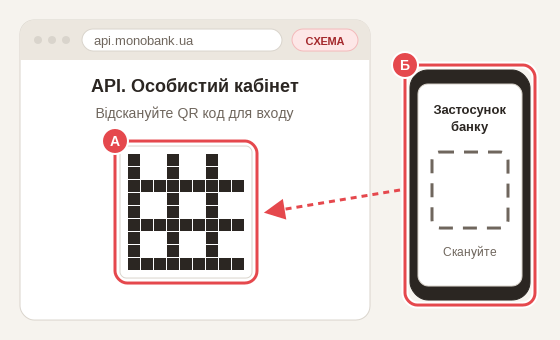
Scheme of the screen, not the real look of the site Scan the QR code with the monobank app on your phone (B)
The app of the card owner. The page on the computer changes on its ownCopy the token — a long line of letters and digits (A)
Select the whole line and press Ctrl+C. The token is a key to your statement: never send it to anyone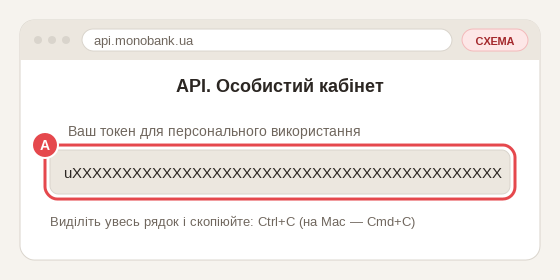
Scheme of the screen, not the real look of the site In Kupylo: "Connections" → your profile card → "+ Add service" → monobank (A)
The profile is the card: you do not pick it separately. The form opens right there
Paste the token into the "Personal monobank token" field (B) and press "Check" (C)
To paste: click the field and press Ctrl+V (Cmd+V on a Mac). Button A opens the bank site if it is not open yet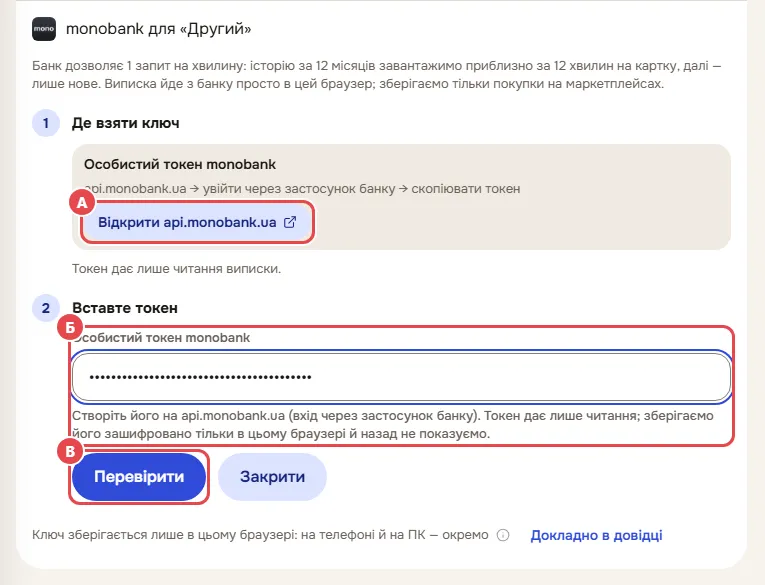
Tick the cards you pay for purchases with (A) and whom each pays for (B), then "Connect" (C)
Kupylo loads 12 months of statement on its own: the bank allows one request a minute, so it takes a few minutes per card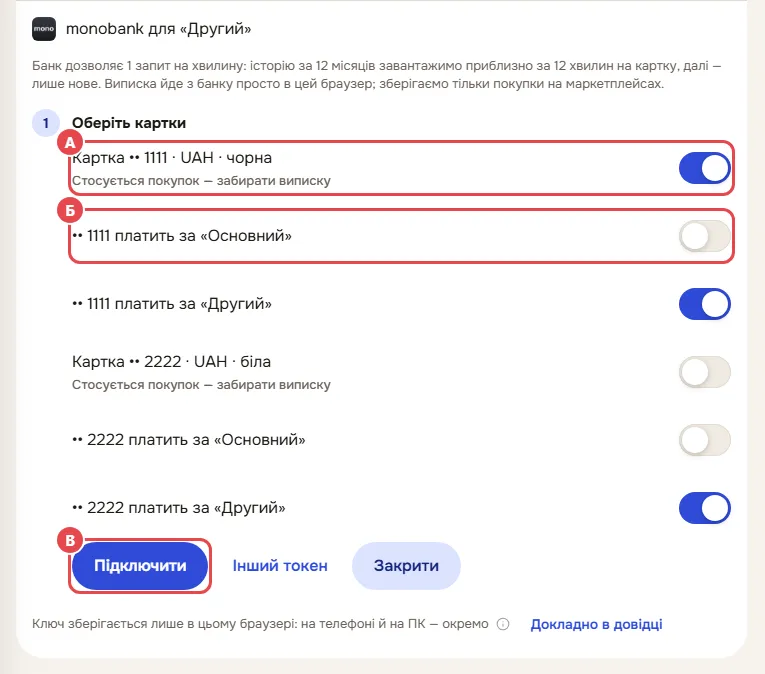
Done when the card has a monobank row marked "Works" (A)
"Applies to" (B) — which profiles the card pays for: its charges are matched with those profiles’ orders. Your own profile — always
Links and steps checked on 15 November 2026
Ready to connect?
Sign in to Kupylo — the key goes into Connections, and Kupylo keeps everything up to date from there.