Connections
Nova Poshta: API key
The key lets Kupylo see your Nova Poshta parcels: where a parcel is, when it arrives, how long it is kept, whether anything is due.
How to do it
Open the Nova Poshta business cabinet new.novaposhta.ua and sign in
Use the phone number your parcels come to. A computer is easierPress «Налаштування» (Settings, A) → «Безпека» (Security, B) → «Створити ключ» (Create key, C) and copy the key (D)
The key is 32 Latin letters and digits. Select all of it and press Ctrl+C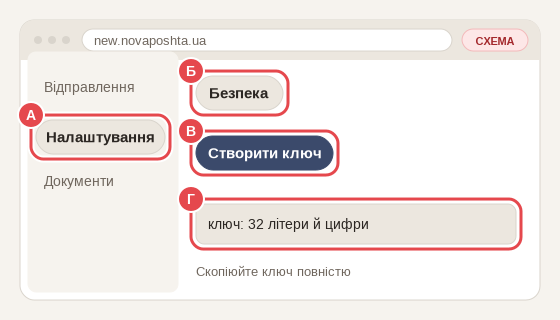
Scheme of the screen, not the real look of the site Or take a Nova Post API key at my.novapost.com
Integrations (A) → API keys (B) → Create API key (C), the key is in the list (D). Either key works — Kupylo tells which one it is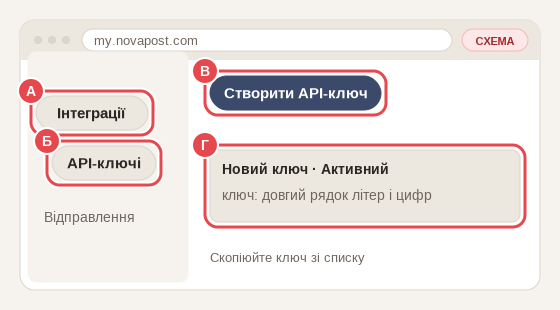
Scheme of the screen, not the real look of the site In Kupylo open "Connections", press "+ Add service" in your profile card and pick Nova Poshta (A)
The profile is the card: you do not pick it separately. The form opens right there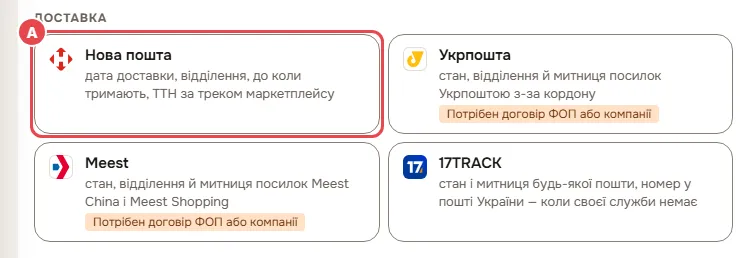
Paste the key into the "Nova Poshta API key" field (A) and press "Check and save" (C)
To paste: click the field and press Ctrl+V (Cmd+V on a Mac). The phone (B) is optional: with it you see how long the parcel is kept and the amount to pay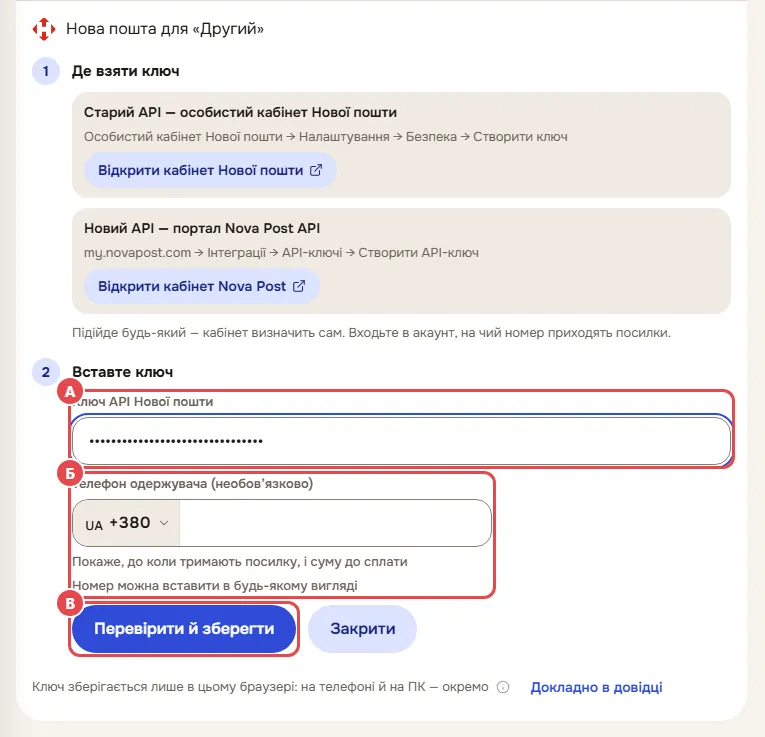
Done when the card has a Nova Poshta row marked "Works" (A)
"Applies to" (B) — which profiles this key looks for parcels for. Your own profile is always on; "all" includes new profiles too
You can keep both keys together
After saving — "+ Add the second key too": the new one finds the waybill by the marketplace tracking number and shows the history with customs, the old one with your phone — how long the parcel is kept and the amount to pay
Links and steps checked on 15 November 2026
Ready to connect?
Sign in to Kupylo — the key goes into Connections, and Kupylo keeps everything up to date from there.