Connections
How to install the browser extension
The Kupylo extension collects orders and parcels from marketplaces in your Chrome. Until it is in the Chrome Web Store, it is installed by hand from a folder — 5 minutes.
How to do it
Download the kupylo-extension.zip archive and unpack it into a separate folder
Until the cabinet has a Download button, Kupylo sends the archive. You need the folder that has manifest.json right insideOpen a new tab in Chrome, type chrome://extensions in the address bar and press Enter
The page does not open from a link — type the address. In Edge — edge://extensionsTurn on Developer mode at the top right, then press Load unpacked on the left and pick the folder with manifest.json
A Kupylo card with a switch appears below — the switch must be on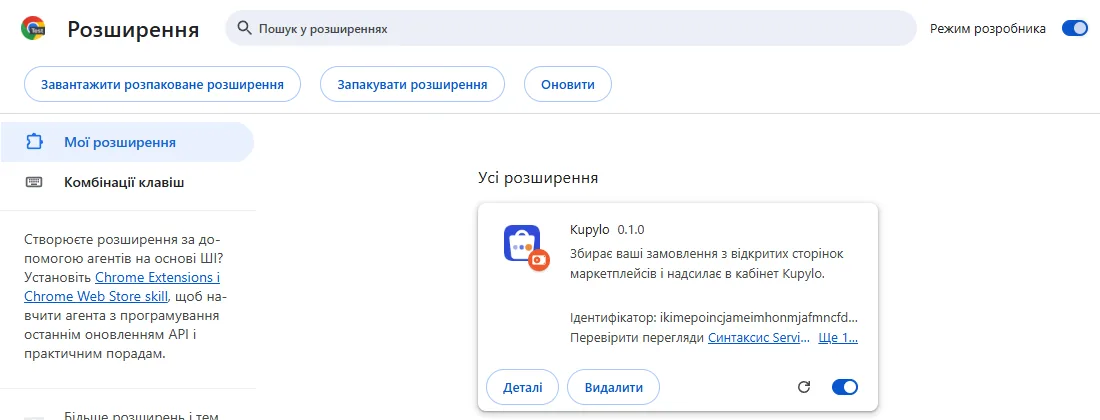
Taken in a test Chrome profile; the names are the same for you Pin the icon: Extensions (puzzle) next to the address bar (A) → the pin next to Kupylo (B)
Now the Kupylo icon is always visible — it opens the extension window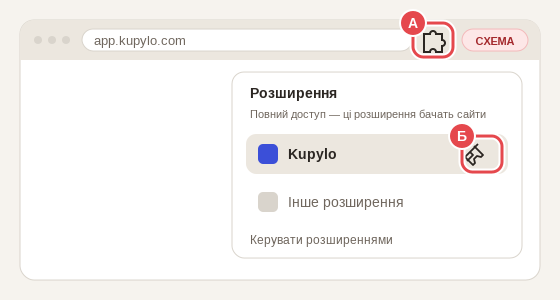
Scheme of the screen, not the real look of the site Click the Kupylo icon and Connect from cabinet
The cabinet opens on Connections → Browser extension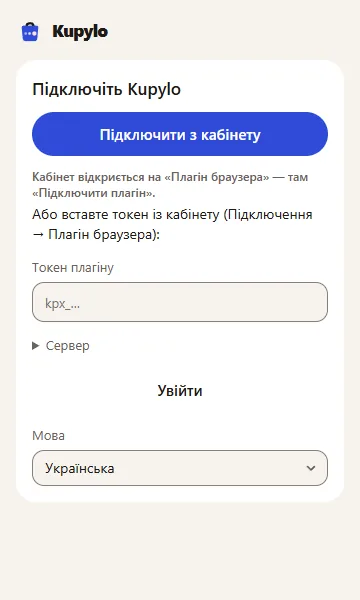
In the cabinet press Connect extension; with several profiles, pick the profile first
The extension asks for Chrome's permission for the cabinet address — Allow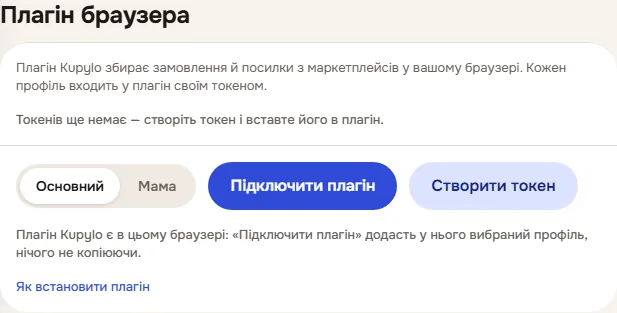
Done: the extension window says Done — Kupylo will update by itself
Sign in to the marketplace in this browser — the first orders arrive within minutes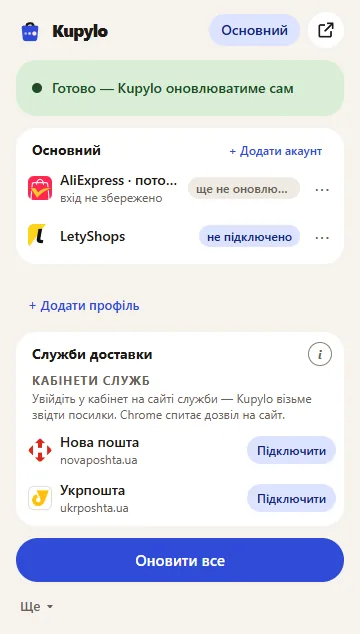
Links and steps checked on 23 November 2026
Ready to connect?
Sign in to Kupylo — the key goes into Connections, and Kupylo keeps everything up to date from there.